


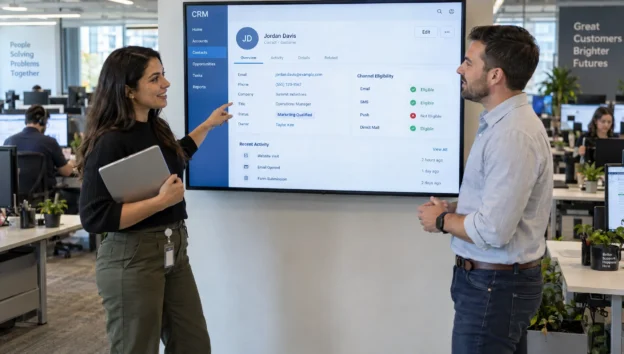
Choosing an omnichannel marketing platform is really a decision about how customer data moves through your CRM. A polished campaign builder will not help if sales receives duplicate leads, an open opportunity keeps getting prospecting emails or an unsubscribe never reaches the next channel. For B2B and industrial companies, those failures can disrupt relationships that take months to develop.
Omnichannel marketing coordinates interactions across channels using shared customer context. Multichannel marketing simply uses several channels, even when each operates independently. The distinction matters when a buyer moves from a search ad to a technical download, then into a conversation with your sales team.
Your evaluation should therefore start with CRM workflows, not a feature checklist. This guide explains what to document, what to ask vendors and how to test the connection before committing to a contract.
Choose an omnichannel marketing platform around CRM workflows
Start with three journeys your business needs to handle reliably. For an industrial supplier, these might be a technical-content download, a quote request and an existing customer researching another product line. Each journey should specify the trigger, required CRM information, next action and condition that stops the sequence.
Consider a quote request from an engineer at an existing customer account. The system should recognize the account relationship, notify the appropriate salesperson and avoid treating the contact as an unknown prospect. Whether it should create an opportunity depends on your sales process, not a vendor’s default automation template.
Buying committees add another requirement. An engineer downloading specifications and a procurement manager requesting commercial terms may belong to the same opportunity but need different communications. This is especially relevant to B2B marketing for complex sales, where engagement must support multiple decision-makers.
Your omnichannel marketing platform should demonstrate these scenarios using realistic sample records. Ask the vendor to show what changes in the CRM, what triggers the next interaction and how sales can stop it. A prepared demonstration is useful, but your own scenarios reveal fit more clearly.
Establish a data contract before comparing connectors
“Integrates with your CRM” is not a complete specification. A connector may support contacts but not account hierarchies, custom objects or opportunity relationships. It may read a field without being able to update it.
Document the exact CRM product, edition, customizations and connected systems. Whether you use Salesforce, Microsoft Dynamics 365, HubSpot or another CRM, ask the vendor to confirm support for your configuration in writing.
Then create a simple data contract defining ownership and permitted updates:
| Data category | Ownership decision to document | Integration behavior to verify |
|---|---|---|
| Contact identity | Which system assigns the durable identifier? | Match, merge and deletion handling |
| Account relationships | Where are account hierarchies maintained? | Parent accounts and multiple relationships |
| Opportunity status | Which system controls sales stages? | Stage changes update campaign eligibility |
| Marketing preferences | Where is permission evidence maintained? | Withdrawal reaches every relevant sender |
| Engagement activity | Which events belong in the CRM? | Useful summaries without excessive activity noise |
Ownership does not mean every field must live exclusively in one system. It means conflicts have a predictable resolution. If sales changes a contact’s status while a campaign updates the same record, define which value wins.
Before approving an omnichannel marketing platform, also inspect field lengths, picklist mappings, time zones and null-value behavior. These details determine whether a technically successful sync produces usable records or silently overwrites information.
Test identity matching at person and account level
A unified profile is only valuable when it represents the right person. Ask how the system connects anonymous browsing, form submissions, email engagement and CRM records. Distinguish deterministic matching, such as a verified identifier, from probabilistic matching based on inferred similarities.
For B2B use, test shared inboxes, contractors, subsidiaries and people who change employers. An email domain alone should not determine account membership. Likewise, engagement from several employees should not collapse into one person’s history.
Give vendors a small, deliberately messy dataset containing duplicate leads, an existing contact with a changed email address and two companies with similar names. Ask them to explain both successful matches and records they leave unresolved.
A reliable omnichannel marketing platform should make matching rules, merge decisions and correction procedures understandable. Find out whether staff can reverse an incorrect merge without losing consent evidence or campaign history.
Also test lead-to-contact conversion. The resulting customer history should remain usable rather than splitting into disconnected records that restart an introductory campaign.
Define data freshness in business terms
“Real-time integration” can describe very different behavior. A browser event might arrive immediately while CRM stage updates run through a scheduled batch. Ask for the complete timeline from the original change to the resulting marketing decision.
Set requirements by workflow. A next-day account-engagement report can tolerate more delay than a rule that pauses prospecting when sales opens an opportunity. An opt-out must affect eligibility before another applicable marketing message is sent.
For illustration, your pilot might require an opportunity-stage change to reach the campaign engine within 60 seconds under normal conditions. That is a proposed acceptance threshold, not a universal standard or a vendor capability claim.
Have the omnichannel marketing platform vendor show timestamps at each step, including during a backlog. Inspect API rate limits, retries, failed-record alerts and recovery after an outage.
Ask what happens when an event arrives twice or out of order. Duplicate detection and safe replay matter because reconnecting a failed integration should not send the same campaign twice or reinstate an outdated sales status.
Separate native channel capabilities from integrations
A native CRM connector and native channel execution are different things. A platform might connect directly to your CRM but rely on another provider for SMS delivery, advertising audiences or website personalization.
Neither architecture is automatically better. Native capabilities may reduce configuration work and keep more controls in one interface. Third-party connections may preserve specialist tools your team already uses, but introduce additional contracts, failure points and support handoffs.
Map each required channel to the system that actually delivers the interaction. Include email, website experiences, paid-media audiences, SMS where appropriate and sales follow-up tasks. Then identify where consent is checked and where delivery failures appear.
During an omnichannel marketing platform demonstration, ask the vendor to distinguish an available integration from a supported end-to-end workflow. A logo on an integrations page does not establish whether audience removal, engagement writeback or suppression works in your configuration.
Also clarify support ownership. If a CRM change does not reach an advertising audience, your team needs to know who diagnoses the failure. Request documentation covering dependencies, connector maintenance and any separate licensing requirements.
Make consent and suppression enforceable across channels
Marketing permission should not be treated as an ordinary field copied whenever the next sync runs. Establish how permission is captured, what evidence is retained and which system makes the final eligibility decision before a message is sent.
Global opt-outs, channel preferences and service-related communications require distinct handling. Have legal counsel confirm the rules for your markets, then translate those requirements into testable workflows. A preference center is insufficient if another connected sender ignores its updates.
For a hypothetical journey involving a service such as repossession support for UK homeowners, the importance of context is especially clear: someone already speaking with an adviser should not keep receiving inappropriate acquisition messages. Use that scenario to test CRM-triggered suppression without copying sensitive case details into marketing tools.
Your omnichannel marketing platform evaluation should also cover role-based access, audit logs, retention settings, subprocessors and data residency. Ask what happens to eligibility when consent data is unavailable or a connector fails.
Require a documented, legally reviewed fallback rather than assuming the system will behave conservatively. Finally, test deletion and correction requests across connected systems. Removing a record from the CRM should not allow an old integration queue to recreate it without the appropriate controls.
Use a weighted scorecard with nonnegotiable gates
A scorecard makes competing demonstrations easier to compare, but some requirements should be pass or fail. Unsupported CRM objects, unacceptable permission handling or an inability to export essential data should not disappear inside a high average score.
Use the following weights as a starting recommendation, not an industry benchmark:
| Evaluation category | Suggested weight | Evidence to request |
|---|---|---|
| CRM objects and workflow fit | 25% | Demonstration using your scenarios |
| Identity quality and data freshness | 20% | Matching results and timestamped sync tests |
| Consent, security and governance | 20% | Tested controls and relevant documentation |
| Channel execution and orchestration | 15% | End-to-end journey demonstration |
| Reporting and sales visibility | 10% | Traceable activity and opportunity linkage |
| Total cost and exit flexibility | 10% | Complete quote and export sample |
Score each category from one to five, then apply the weights. Record limitations alongside the score so a workaround does not look equivalent to a supported capability.
An omnichannel marketing platform should also expose how campaign activity connects to CRM outcomes. Check whether opportunity associations survive merges, conversions and account changes. For broader KPI selection, use this guide to measuring omnichannel marketing success.
Do not confuse attributed revenue with proof of incremental impact. At this stage, verify that the underlying data is traceable and useful to both marketing and sales.
Compare total cost and operational ownership
The subscription is only one part of an omnichannel marketing platform budget. Ask for a quote based on your expected contact volumes, message traffic, event ingestion and required connectors, with the assumptions written down.
Include implementation, data cleanup, migration, training, middleware, channel-provider charges and ongoing administration. Also ask about API allowances, support tiers, additional environments and charges for retained historical data.
Model a realistic growth scenario before signing. A platform that fits today’s contact count may become expensive if billing includes inactive records, duplicate profiles or large volumes of behavioral events. Confirm what counts toward each limit rather than assuming all vendors use the same definitions.
Assign an internal owner for integration health and another for journey logic, even if one person initially fills both roles. Sales operations should approve CRM updates, marketing should own campaign behavior and IT should review access and recovery procedures.
Finally, inspect the exit terms. Request an export sample containing identifiers, relationships, preference evidence and usable activity history. Clarify which configurations cannot be exported and how long you can retrieve data after termination.

Plan migration without losing customer context
Migration should preserve the information that controls the next interaction, not merely move names and email addresses. Inventory active journeys, suppression lists, sales ownership, opportunity associations and permission evidence before importing anything.
Clean duplicates carefully and retain the identifiers needed to reconnect records. If you change identifiers during migration, document the translation so campaign history and CRM relationships can still be reconciled.
Move one bounded segment first. An existing product line or a defined inbound-lead group is easier to validate than a company-wide launch. Keep one designated sender per audience and journey during the transition so parallel systems do not produce duplicate outreach.
Before your omnichannel marketing platform goes live, decide how to handle people already midway through a sequence. Some should resume at the correct step, while others should exit because their CRM status has changed. Do not automatically restart everyone at the first email.
Define rollback conditions and responsibility for each decision. If synchronization fails or suppression results differ from the approved baseline, the team should know which campaigns to pause and which system remains authoritative.
Run a pilot that tests journey continuity
Use a controlled test environment or designated test records wherever available. The pilot should include marketing, sales operations and IT because each group will notice different failures.
Run complete journeys rather than testing isolated features:
- Submit a quote request from an existing customer and verify account matching, owner notification and appropriate campaign eligibility.
- Change an opportunity stage in the CRM and confirm that the next scheduled marketing action reflects the change.
- Withdraw a channel preference and verify that every relevant connected sender applies it before another applicable message.
- Interrupt the connection, restore it and check for missed updates, duplicate activities and repeated sends.
- Merge duplicate records, then verify that relationships, history and preference evidence remain correct.
For each scenario, retain the expected result, actual result, timestamps and responsible owner. Classify failures by business consequence rather than treating every defect equally. An incorrect preference decision is not equivalent to a cosmetic reporting issue.
Approve the omnichannel marketing platform only after critical scenarios pass and remaining limitations have named owners. Have sales inspect the resulting CRM records directly. A journey can look correct in a marketing interface while creating confusing tasks or misleading histories for the people handling the account.
Frequently asked questions
Does the marketing platform replace the CRM? Not necessarily. The CRM typically manages sales relationships, ownership and opportunities, while the marketing platform coordinates engagement. Product boundaries vary, so document which system owns each business process instead of assuming one application will replace the other.
Is a native CRM integration always the best option? No. A native connector may be easier to maintain, but it can still lack required objects, fields or update directions. A well-supported middleware connection may fit better. Compare demonstrated behavior, support responsibility and total cost rather than the integration label.
Do we also need a customer data platform? Not automatically. A separate customer data platform may help when identity and data unification span many systems. First establish which problems your CRM and proposed marketing software cannot solve. Another application also adds implementation and governance work.
Should we change our CRM to access a better omnichannel marketing platform? Only if the CRM itself fails your broader sales requirements. Replacing it solely to simplify a marketing integration can create unnecessary migration risk. Evaluate connector improvements and workflow changes before expanding the project into a CRM replacement.
Build your requirements before booking demonstrations
Create a shortlist brief containing three priority journeys, required CRM objects, data-ownership rules, acceptance tests and a complete cost model. Give every vendor the same brief so you can compare evidence rather than presentation quality.
If channel strategy needs attention first, discuss your SEO, PPC and inbound marketing priorities with B2B Inbound Marketing. Establish the lead-generation workflows your business needs, then select software that can support them.