


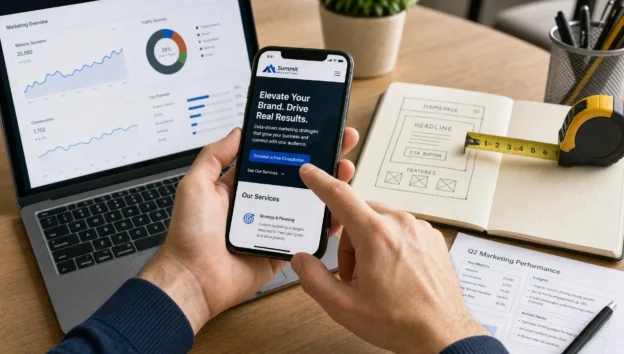
Many B2B buyers first interact with your company on a phone, even when the final purchase involves a long sales cycle, a technical evaluation or a formal quote request. That makes mobile site optimization more than a design concern. It affects how quickly a prospect understands what you do, whether they trust you enough to keep reading and how easy it is to take the next step without waiting until they are back at a desk.
For industrial suppliers, service firms and B2B companies in competitive markets like Houston, mobile traffic often includes engineers checking specifications, purchasing managers comparing vendors, executives scanning credentials and field teams looking for immediate answers. If the mobile experience is slow or cluttered, the visitor may not complain. They simply leave, return to search results and choose another company.
B2B mobile behavior is different from consumer browsing
B2B mobile visits are usually task-driven. A visitor may be looking for a capability statement, service area, product application, safety credential, case study or contact path. Good mobile site optimization supports those jobs without forcing the user to pinch, zoom, hunt through oversized menus or complete a desktop-style form on a small screen.
The conversion may not happen during that first visit. In B2B, mobile often plays an assist role. A prospect finds you on mobile, reads enough to shortlist you, then converts later through a desktop form, email, phone call or direct sales conversation. That still makes the mobile visit valuable. It shapes trust early in the buying process.
Mobile-first indexing also changes the stakes. Google primarily evaluates the mobile version of a site for indexing and ranking, so weak mobile pages can limit both visibility and conversion performance. In 2026, the question is no longer whether your site should work on mobile. The question is whether it is strong enough to win qualified attention.
Map the mobile journey before changing the layout
Before editing buttons or compressing images, identify the pages that matter most to mobile visitors. Start with organic landing pages, PPC landing pages, service pages, industry pages and contact pages. These pages often reveal where prospects enter the site and where friction causes them to drop off.
A mobile user should be able to answer three questions within seconds: is this company relevant to my need, is it credible and what should I do next? If your page cannot answer those quickly, design changes alone will not solve the conversion problem. This is where SEO, messaging and layout have to work together, a point also covered in more depth in this guide to search engine optimization website design for better leads.
| Mobile page type | Visitor intent | Common conversion risk | Better mobile approach |
|---|---|---|---|
| Service page | Confirm capability and fit | Long intro with no proof | Lead with service, industries served and CTA |
| Product page | Check details or applications | Specs hidden in downloads | Summarize key details before the PDF |
| PPC landing page | Act on a specific offer | Slow load or vague headline | Match ad intent and show one clear action |
| Contact page | Reach sales or request quote | Too many fields | Offer phone, short form and email options |
| Case study page | Validate experience | Dense desktop formatting | Use short sections, results and scannable proof |
The best mobile site optimization decisions come from watching how real prospects move through this journey, not from copying generic design patterns. Analytics, search queries, heatmaps and sales feedback can all point to the same issue: the page may rank, but it does not make the next step obvious.
Fix speed and technical friction first
A strong mobile page has to load quickly enough that the visitor never thinks about speed. Google’s Core Web Vitals give useful performance signals, especially Largest Contentful Paint, Interaction to Next Paint and Cumulative Layout Shift. In plain language, your main content should appear quickly, the page should respond when tapped and elements should not jump around while the visitor is trying to read or click.
Common B2B problems include oversized hero images, heavy tracking scripts, uncompressed PDFs, slow hosting, too many third-party embeds and forms that load late. These issues are especially damaging on mobile networks, where conditions vary by location and device. For industrial audiences that may include field users, plant managers or traveling buyers, speed is a direct usability issue.
Technical improvements that often help include compressing images, using modern image formats, limiting unnecessary scripts, cleaning up unused code, caching static files and testing pages on real mobile devices. A fast page does not guarantee conversion, but a slow page can prevent conversion before the message is even seen.
Make responsive design serve the buying decision
Responsive design is the baseline, not the finish line. A page can technically resize for mobile and still be frustrating. True mobile usability requires a content hierarchy that respects the buyer’s intent: headline, value proposition, proof, next step and supporting detail in a logical order.
For example, a service business homepage should immediately clarify who it serves, what problem it solves and why its approach is credible. This principle applies beyond industrial B2B as well. A local service site such as Origin Dental Wellness shows how clear positioning, service categories and trust signals can help visitors understand fit quickly before they decide to schedule or inquire.
On a B2B site, the same idea applies to manufacturing services, engineering support, logistics, software, consulting or technical sales. The mobile screen should not bury proof below a long brand story. Certifications, industries served, project examples, response expectations and quote options should appear where they support the decision.
Simplify forms and calls to action
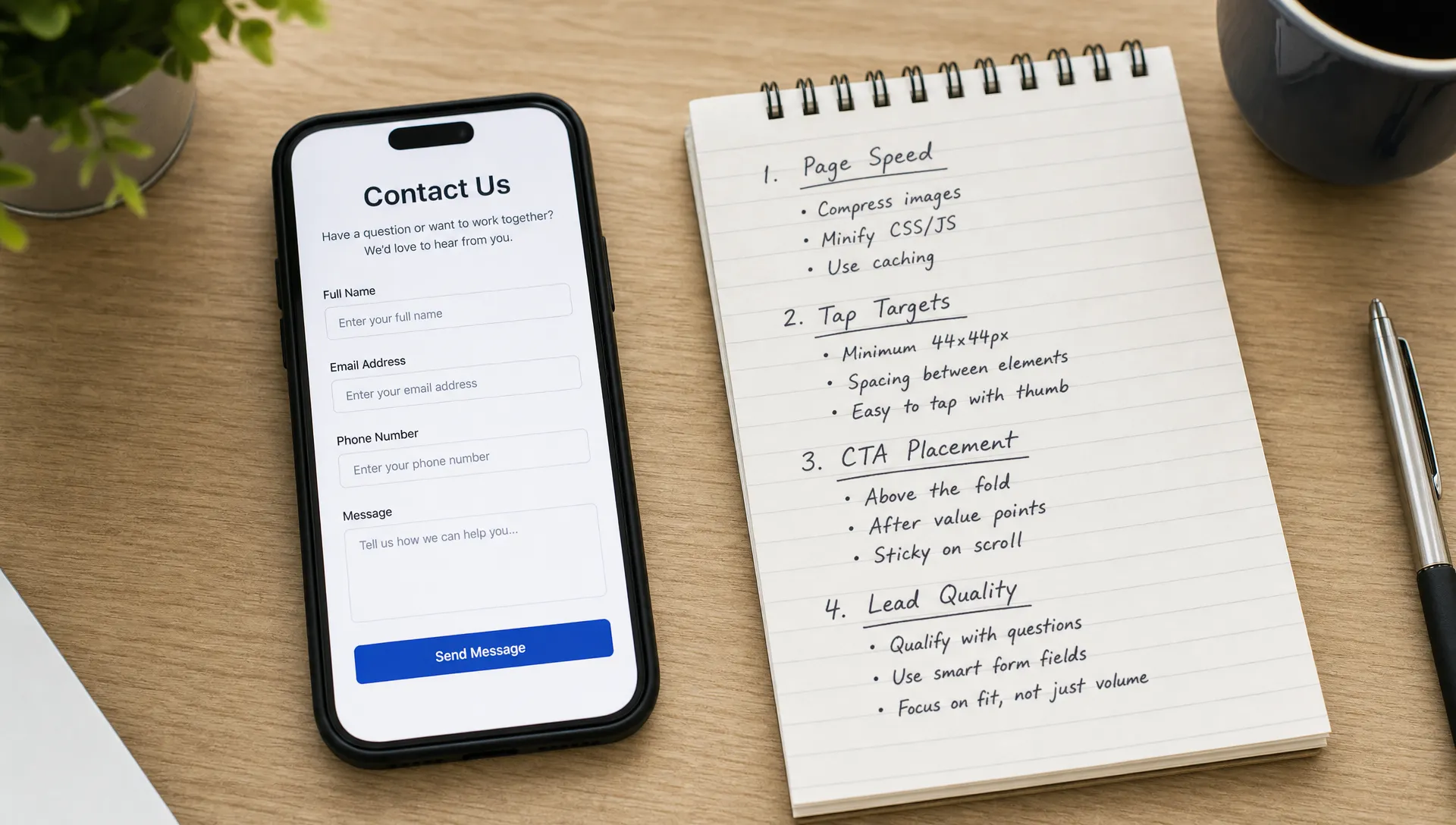
Mobile forms are one of the biggest conversion bottlenecks on B2B websites. A desktop form with ten required fields may be acceptable for a detailed RFQ, but it can be a poor first step on mobile. Prospects who are still evaluating may not want to type extensive information with their thumbs.
Mobile site optimization should treat every form field as a cost. Ask only for what sales truly needs at that stage. If a visitor is requesting a quote, you may need project details. If they are asking a question, name, company, email and message may be enough. The form should also use the right mobile keyboard for email, phone numbers and numeric entries.
Clear calls to action matter just as much. “Submit” is weak because it describes the button action, not the business outcome. Better labels include “Request a Quote,” “Talk to a Specialist,” “Schedule a Consultation” or “Ask About This Service,” depending on the offer. If phone calls are valuable, make the number tap-to-call and place it where a mobile user can find it easily.
Avoid forcing every visitor into the same path. Some B2B buyers want to call, some want to email and some want to fill out a form after checking credentials. A mobile page can support all three without becoming cluttered if the hierarchy is clean.
A mobile site optimization checklist for B2B teams
Use a practical checklist to separate high-impact improvements from cosmetic changes. The goal is not to make the mobile page look busy or trendy. The goal is to reduce friction for serious prospects and help them move from interest to inquiry.
| Area to review | What to check | Conversion-focused fix |
|---|---|---|
| Page speed | Main content load time and script delays | Compress assets and remove nonessential code |
| Header | Logo, navigation and CTA visibility | Keep the menu simple and the primary action clear |
| Hero section | Relevance of headline on small screens | State the service, audience and value quickly |
| Proof | Trust signals and examples | Place certifications, case studies or industries served near key claims |
| Forms | Required fields and mobile keyboard behavior | Shorten forms and use correct field types |
| Tap targets | Buttons, links and phone numbers | Make actions easy to tap without zooming |
| Content | Paragraph length and section order | Break up dense copy and lead with buyer priorities |
This checklist works best when paired with conversion data. If you need a broader view of how technical performance, content and landing page structure affect results, this article on website optimization services that improve conversion rates covers related improvements for B2B websites.
Prioritize fixes by business impact
Not every mobile issue deserves the same urgency. A slightly imperfect icon is less important than a slow service page that receives qualified organic traffic. A beautiful animation is less important than a form that fails on mobile browsers. A practical mobile site optimization plan should rank fixes by lead impact, not by personal preference.
Start with pages that already attract relevant traffic. In many B2B campaigns, these include high-intent service pages, technical blog posts, PPC landing pages and location pages. Improve the experience where demand already exists before investing heavily in pages that receive little qualified traffic.
Next, compare mobile behavior to desktop behavior. If desktop conversion rates are healthy but mobile conversion rates lag, the issue may be usability. If both are weak, the issue may be message-market fit, content quality or offer clarity. That distinction matters because it prevents teams from treating every conversion problem as a design problem.
B2B companies should also review mobile and paid search together. PPC can reveal which offers, headlines and pain points attract qualified visitors quickly. Those insights can then improve SEO pages. Likewise, organic search data can reveal questions and terms that should shape mobile landing pages. For companies looking at mobile as part of a larger channel mix, this overview of mobile marketing provides useful context.
Measure more than form fills
Form submissions matter, but they are not the only measure of mobile performance. B2B conversions often include phone calls, email clicks, PDF downloads, quote starts, map taps, repeat visits and visits that later convert on desktop. If analytics only credits the final form submission, mobile may look less valuable than it really is.
Set up tracking that reflects the full buyer journey. Measure scroll depth on key pages, click activity on CTAs, tap-to-call usage, form starts versus completions and assisted conversions where possible. This helps you identify whether visitors are interested but blocked, or simply not persuaded by the page.
Qualitative review helps too. Ask sales what prospects mention when they call. Review the questions that appear in contact forms. Look for gaps between what the mobile page promises and what buyers actually need to know before taking action. The best conversion improvements often come from aligning page content with real sales conversations.
Frequently Asked Questions
What is mobile site optimization for B2B websites? Mobile site optimization is the process of improving mobile speed, layout, content, forms and calls to action so B2B visitors can understand your offer and convert more easily on a phone or tablet.
Why do B2B mobile conversion rates often lag behind desktop? Mobile visitors may be researching early, dealing with smaller screens or avoiding long forms. If the page is slow, dense or unclear, they may postpone action or choose another vendor.
Should B2B companies use shorter mobile content? Not always. Technical buyers still need detail, but mobile content should be structured better. Use clear headings, concise sections, visible proof and links to deeper resources when needed.
How often should a company audit its mobile website? Review high-value mobile pages at least quarterly, and audit them after major design, SEO, PPC or tracking changes. Search behavior, device standards and buyer expectations change over time.
Turn mobile traffic into qualified conversations
Better B2B conversions do not come from mobile design alone. They come from a faster, clearer and more persuasive path from search intent to sales action. When SEO, PPC, content and web design support the same buyer journey, mobile visitors are more likely to become qualified inquiries.
If your B2B or industrial website receives traffic but does not produce enough leads, start with the pages prospects already use on mobile. Improve speed, sharpen the message, reduce form friction and make the next step easy to take. That is where mobile improvements begin to support real business growth.